Smartphones are equipped with some of the highest-resolution glass displays ever engineered, boasting pixel densities exceeding 400 pixels per inch. Yet millions of people still search frantically through desk drawers for a traditional physical ruler whenever they need to measure a tiny screw, a jewelry stone, or a postage envelope. With a modern web browser, your smartphone can instantly function as an accurate, 1:1 real-scale virtual ruler that requires zero app store downloads and works on any iPhone or Android device.
1. Why Your Smartphone Is the Ultimate Pocket Ruler
Physical rulers are rigid, easy to misplace, and inconvenient to carry in everyday life. Your smartphone, on the other hand, is constantly within arm’s reach. More importantly, modern smartphone touchscreens are constructed with optically flat chemically strengthened glass (such as Gorilla Glass or Ceramic Shield). This flat surface eliminates the warping, bent corners, and thermal expansion common to cheap plastic or wooden school rulers.
When you display an online metric or imperial scale on your phone, every millimeter mark is rendered by microscopic, physically fixed light-emitting diodes (OLED or LCD subpixels). Because the physical grid of your display never flexes, an on-screen ruler provides exceptionally stable linear references for small objects up to 10 to 15 centimeters (4 to 6 inches) in length.
2. Mobile Browser vs. Dedicated Ruler Apps: Why Web Tools Win
When users need a quick measurement on their mobile devices, their first instinct is often to open the Apple App Store or Google Play Store to search for a ruler app. However, native ruler apps introduce several notable disadvantages:
- Intrusive Advertisements: Most free mobile ruler apps bombard users with full-screen interstitial video ads and tracking SDKs that disrupt measurements.
- Storage and Permissions: Installing an app consumes device storage and often demands unnecessary permissions, such as camera, location, or file access.
- Slow Setup: Searching, downloading, and launching an app takes minutes, whereas navigating to onlinelineyka.com takes under two seconds.
- Cross-Platform Consistency: Our web-based ruler operates identically across Safari, Chrome, Edge, and Firefox without requiring separate installations on different devices.
3. Step-by-Step: How to Measure Small Items on Your Screen
Measuring an object directly on your smartphone display is straightforward, but following a standardized protocol ensures maximum precision:
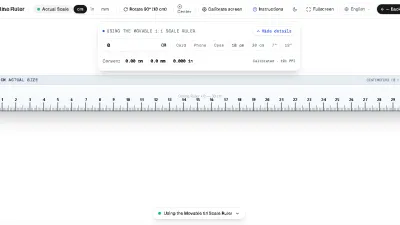
- Open the Online Ruler: Visit our Online Ruler Homepage or jump straight to the Millimeter Ruler for high-precision tasks.
- Clean the Display Surface: Gently wipe away any dust, oils, or grit with a microfiber cloth to ensure the object rests flat without scratching the oleophobic screen coating.
- Disable Browser Zoom: Ensure your mobile browser is set to standard 100% zoom. On Safari for iOS, tap the format icon in the address bar and verify that page zoom is at 100%.
- Align Against the Zero Mark: Position the left or bottom edge of your object exactly flush with the zero line of the digital ruler.
- Read the Graduation Line: Look directly perpendicular (from straight above) at the trailing edge of the object to avoid visual parallax. Read the length in centimeters or millimeters.
4. Direct Screen Measurement vs. AR Camera Rulers: Accuracy Comparison
Many modern phones come preloaded with augmented reality (AR) measuring apps that use the device’s camera and LiDAR sensor. While AR tools are useful for estimating room dimensions or large furniture, they are notoriously inaccurate for small items.
| Measurement Method | Typical Precision | Ideal Object Range | Key Limitation |
|---|---|---|---|
| Direct Screen Online Ruler | 0.1 mm – 0.5 mm | 0.1 cm to 15 cm | Limited by physical screen width/height |
| AR Camera Measuring App | 5.0 mm – 20.0 mm | 20 cm to 5 meters | Lighting, camera angle, and surface texture drift |
| Physical Tape Measure | 0.5 mm – 1.0 mm | Any length | Must be physically owned and carried |
Direct screen contact eliminates perspective distortion and lighting estimation errors. As long as your display is properly calibrated, putting an object directly on the glass provides lab-grade metrology for small fasteners, coins, electronic components, and paper scraps.
5. Calibration Check: Ensuring True 1:1 Scale on iPhone and Android
Because web browsers do not always expose hardware-level screen pixel dimensions due to privacy and CSS abstraction, our online ruler includes automated heuristics for all popular iPhone and Samsung Galaxy models. However, taking ten seconds to verify calibration guarantees true 1:1 fidelity:
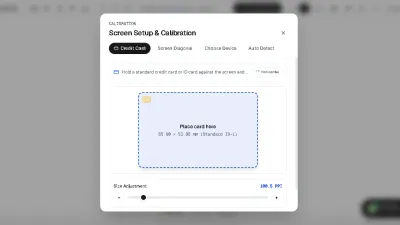
Navigate to our Calibration Tool and hold any standard plastic credit card, debit card, or driver's license against the on-screen card outline. Under international standard ISO/IEC 7810 ID-1, all bank cards are manufactured to exactly 85.60 mm (3.37 inches) wide. Adjust the on-screen slider until the outline matches your physical card with zero gap. Once calibrated, your settings are saved locally in your browser for future sessions.
6. Golden Rules to Protect Your Screen and Avoid Parallax Error
To get the most out of your smartphone ruler while keeping your hardware safe, keep these four metrology principles in mind:
- Never Place Sharp Metal Objects Directly on Naked Glass: If you are measuring drill bits, steel screws, or razor blades, place a thin sheet of plastic wrap or tissue paper over the screen first. Screen protectors (tempered glass) also provide an excellent safeguard.
- Look Perpendicularly (Avoid Parallax): Because touchscreen glass sits 0.5 mm to 1.5 mm above the actual emitting OLED diodes, viewing the ruler from an angle creates a parallax shift of up to 1 millimeter. Always view the scale from directly above at a 90-degree angle.
- Use Crosshair Guides for Precision: Toggle the interactive guide markers on our toolbar to align hair-thin measurement lines against both ends of the object.
- Lock Screen Orientation: Lock your mobile display to portrait or landscape mode before measuring to prevent unintentional screen rotation while handling objects.